Before the Village Noticeboard Went Digital
A village noticeboard digital transition can make local information easier to find. Learn how to organise a screen display without losing useful context.
How do you turn a village noticeboard into a useful screen display without making local information harder to find? A village noticeboard digital transition works best when you carry over the board’s practical arrangement, not just its notices. Start by looking at what people need to learn, where they encounter it and what happens to information when it is no longer current.
Read the existing board
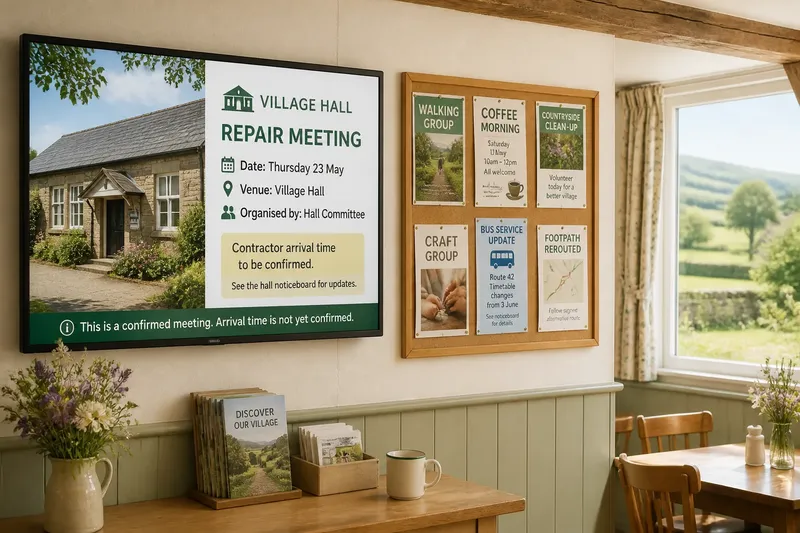
Before choosing a screen or software, spend time with the physical noticeboard as it is used. Notice where it stands, which side people approach from and whether they stop to read it or glance while passing. Those details reveal the difference between information people seek out and information they can absorb at a glance.
Make a simple inventory on paper. Record the kinds of notices, who supplies them, how a reader follows up and what tells you that a notice is no longer relevant. You might find meeting announcements, lost-property notes, bus changes, club invitations and notices for people without regular internet access. Do not assume that the most visually prominent item is the most useful one.
Look for the board’s informal rules, too. A handwritten note from a neighbour may be accepted because readers recognise the name; a formal council notice may need a contact route or issuing organisation. Digital displays need to retain those signals of source and trust, rather than flatten every item into the same anonymous card.
Map the information journey
For each kind of notice, trace its route from arrival to removal. Ask who writes it, who checks that it is suitable, how it reaches the display and who can correct or withdraw it. A digital screen changes this chain: someone has to enter the information, prepare it for the display and take responsibility for keeping it current.
Draw the process in a few boxes, using names or roles rather than vague labels. For instance, a parish clerk might approve official service updates, while a hall volunteer handles room bookings and community groups send their own announcements to a named contact. Make clear how a correction reaches the person who can change the display.
Then identify the route for people who cannot or do not use the screen. Depending on the community, that might mean keeping a small paper board, sharing a printed weekly sheet through the library, or making notices available at the village shop. A digital display should not quietly become the only route to information that residents need to act on.
Set rules for notices
Agree on a small set of publishing rules before gathering content. Keep them short enough for volunteers and local groups to use without special training. Include the essentials:
- Source: State who submitted or issued each notice, with a way to contact them where appropriate.
- Purpose: Say what readers are being asked to know or do, rather than relying on a decorative heading.
- Dates: Include the event date, relevant time and location, and the date the notice should be reviewed or removed.
- Changes: Name the person or role that can correct an error or withdraw a notice.
- Access: Offer a suitable contact or offline route when readers cannot respond through a web link or app.
- Boundaries: Decide how the display will handle private details, political material, commercial notices and urgent messages.
Keep the wording proportionate. A display is not a place to publish personal information simply because someone has supplied it, and the person who manages the screen should not have to make sensitive judgements alone. Agree the local policy in advance; for questions involving privacy, safeguarding or legal duties, seek guidance from an appropriate qualified professional.
Choose a display rhythm
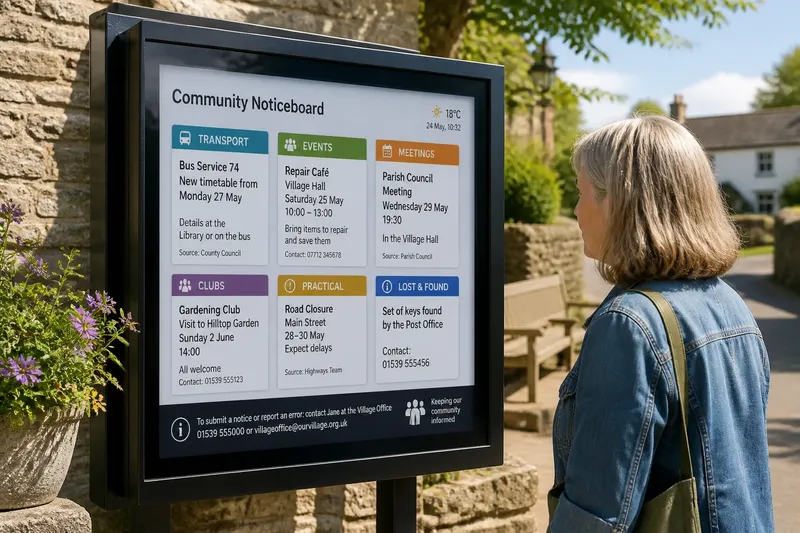
A printed board lets readers scan many items at once and choose their own order. A screen usually presents a smaller amount of information at a time, so decide how notices will be grouped and how often they appear. Possible groups include public services, local events, transport, clubs and practical requests. Use labels that make sense to residents, not categories designed around the software.
Consider how quickly each group changes. A regular event may need a stable place on the display, while a one-off road closure may need to appear promptly and then disappear. Avoid treating the display as a stream of equally important cards: readers should be able to distinguish a timely service update from a general invitation.
Decide what a reader can do if they miss a notice. A contact name, telephone number or location may be more useful than a QR code alone. If the screen is in a hall or shop, make sure the displayed wording still works for a passer-by who has no time to scan, save or search for more detail.
Prepare notices for screens
Do not transfer a photographed paper notice wholesale. Small print, layered decorations and long paragraphs that work on a board can become difficult to read on a screen. Rewrite the notice around the reader’s immediate question: what is happening, where, when, who is responsible and what should I do next?
Use plain text as the starting point, then add only the visual elements that help identify the notice or its source. A simple heading and a consistent place for dates make scanning easier. If a notice needs a full explanation, give the screen a concise version and a clear route to the complete information, such as a named office or printed copy.
Say you are adapting a handwritten notice for a repair café at the village hall. Keep the service name, the hall location, the session time and a contact route; remove the unrelated decoration and replace vague wording such as “this Friday” with the actual day and date supplied by the organiser. The expected result is a reader who can recognise the event and decide how to follow up without needing to decipher the original paper.
Set up ownership and review
Assign a named person or role to receive submissions and a backup for periods when that person is away. Use a shared inbox or a simple submission form if it suits local practice, but do not make a digital account the only way to send a notice. A community group should be able to submit information through a known local contact as well.
Keep a basic content record in a shared document or spreadsheet: notice title, source, date received, display category, review date and removal status. Restrict editing to the people who need it, and make the correction route visible to submitters. The record is an administrative aid, not a replacement for checking the display itself.
Agree who will check the screen and when. That person can look for missing dates, failed links, stale notices and text that is difficult to read from the usual viewing position. Remove expired material promptly, but retain a record of the decision if local policy requires it. For equipment, software and the handling of personal information, follow the relevant manufacturer instructions and local rules.
Introduce the change locally
Let residents know what is changing before the paper board is altered. Explain where the screen will be, how people can submit information and which existing ways to get notices will remain. Put that explanation on the old board, in a parish newsletter or at a regular gathering, rather than assuming everyone will happen to see the new display.
For an initial period, the screen and paper board can point to each other. A paper note might explain how to send a notice for the display; the screen can state where printed information remains available. Invite people to flag missing or confusing information through a contact they already know. Give feedback a clear destination so it can lead to a change rather than vanish into general conversation.
Review the arrangement with the people who use and maintain it. Ask whether notices are easy to identify, whether sources and contact routes are clear, and whether anyone has lost a practical way to learn about local activity. Make one change at a time, such as revising category names or changing who receives submissions, so residents can tell what has improved.
Questions about digital noticeboards?
Should a digital display replace the paper board?
Not automatically. Keep a paper route if some residents rely on it, if the screen is not accessible at all relevant times, or if notices need a format the display cannot serve well.
Who should be allowed to submit notices?
Choose an approach that reflects local trust and workload, such as accepting submissions from named organisations and residents through a designated contact. Publish the eligibility rules and the person who handles corrections.
What should happen to an expired notice?
Remove it from the active display when its review date passes or its purpose ends, then record the removal if the local process calls for it. If an event is postponed, replace the old wording with a clear update rather than leaving both versions in circulation.
How can readers without smartphones respond?
Include a telephone number, staffed place or other practical offline route wherever readers need to act. A screen should not make a smartphone the price of taking part in village life.
Keep the board’s public role
A village noticeboard is more than a surface for announcements: it is a place where residents see who is organising things and how local life connects. A village noticeboard digital transition can preserve that role when every displayed item has a recognisable source, a clear next action and a route for people who do not use screens.
After the display is in use, keep one question on the review agenda: which useful local notices are still failing to reach the people they concern? The answer may call for a wording change, a different submission route or a paper copy in a familiar place. Let that answer guide the next adjustment, rather than treating the screen itself as the measure of success.